Get Checked Off, free, during the beta.
Windows only for now. No waitlist, no application, no account required — just download it and go.
Download
Windows 10 or later
Seeing a security warning when you install?
That's expected right now, not a sign anything's wrong. Windows and browsers flag new downloads based on how many people have installed them before — as more people download Checked Off, this fades on its own.
In Microsoft Edge
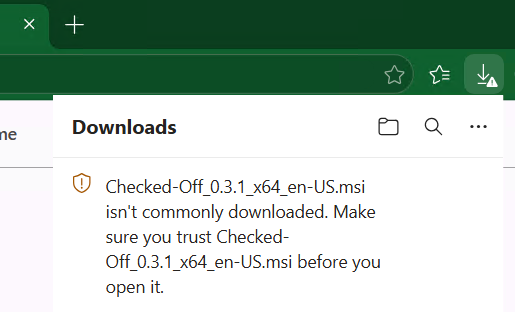
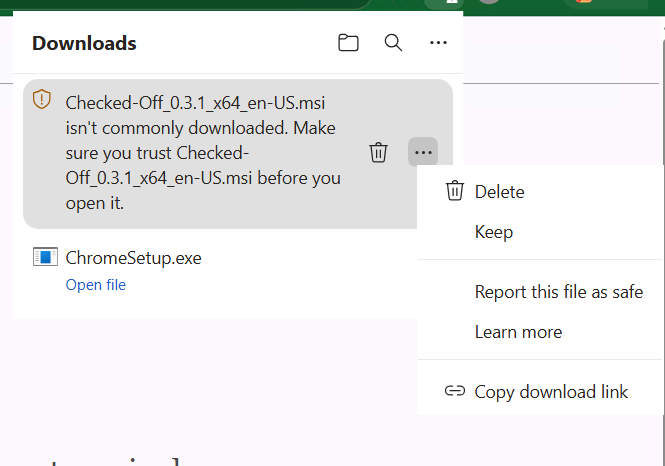
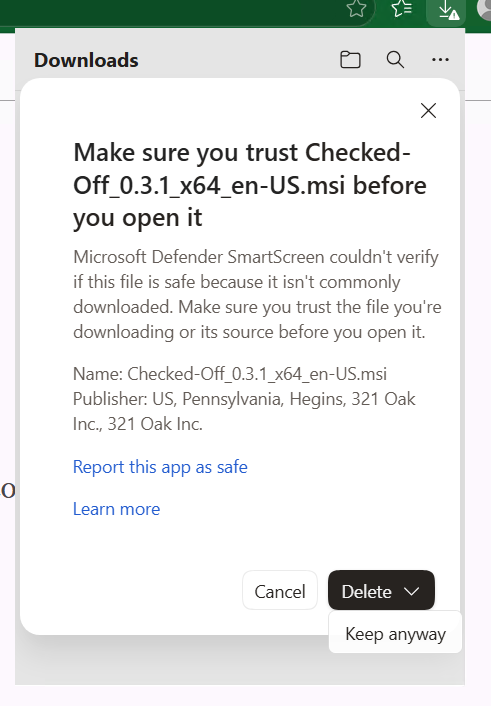
Edge shows "[filename] isn't commonly downloaded. Make sure you trust [filename] before you open it." Click the "…" next to that entry, then choose "Keep." A confirmation panel appears — click the small arrow next to "Delete" and choose "Keep anyway."
In Google Chrome
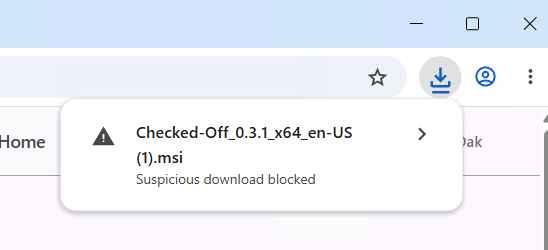
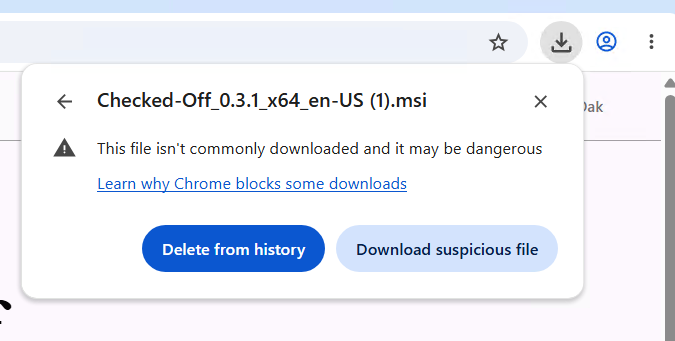
Chrome shows "Suspicious download blocked" in your downloads. Click to expand that entry, then choose "Download suspicious file."
When you open the installer
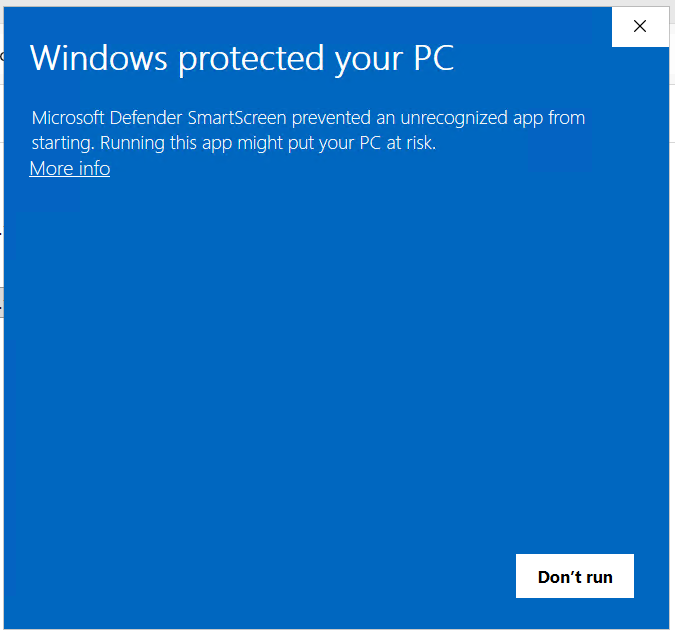
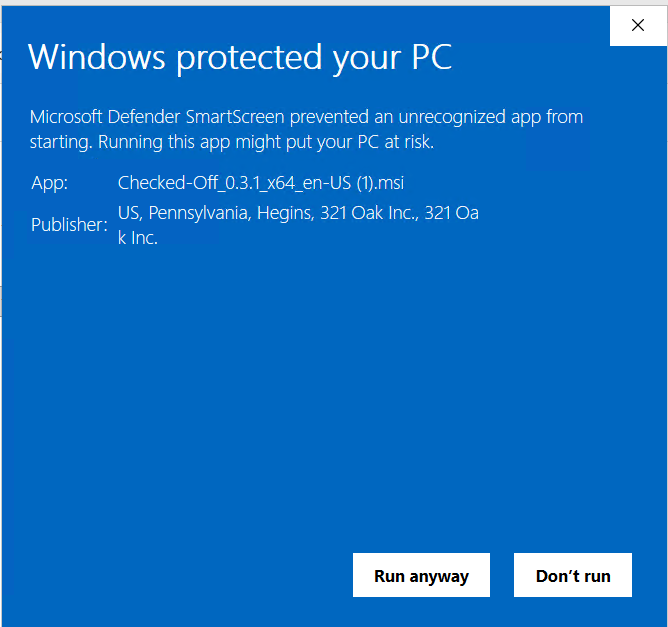
Windows shows a full-screen "Windows protected your PC" message. Click "More info" (it's a small link, easy to miss) — that reveals a "Run anyway" button, along with a publisher field that includes "321 Oak Inc." (shown alongside our registered address) — that confirms it's really us.